.svg)
This feature is exclusively included in the Sales Add-on and is available to both end users and administrators.
With the AI voice assistant in Lemontaps, you can easily capture conversations via voice and automatically convert them into structured information. This allows you to document contacts faster and reduce manual effort.
Recording voice memos
In the notes field of a contact, you will find the “Record” function. This allows you to record a voice memo directly during or after a conversation.
How it works:
-
Click “Record” in the notes field
-
Speak your conversation notes
-
Save the memo
The voice memo is then processed and made available for further features.
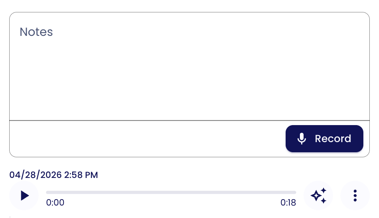
Note: The memo can only be added after the contact has already been created, not during the contact creation process.
Transcription and notes field
After recording, Lemontaps automatically creates a transcript of your voice memo.
You have two options:
-
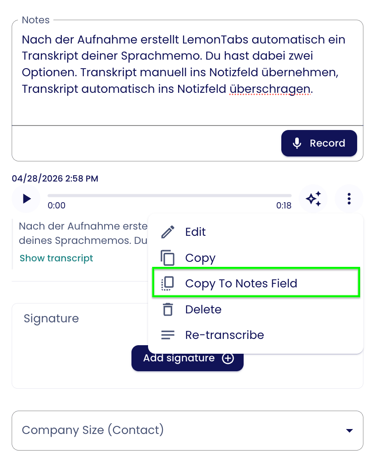
Option 1: Manually transfer the transcript to the notes field. Click the three dots next to the voice memo and select “Copy to notes field.”
-
Option 2: Automatically transfer the transcript to the notes field:
-
-
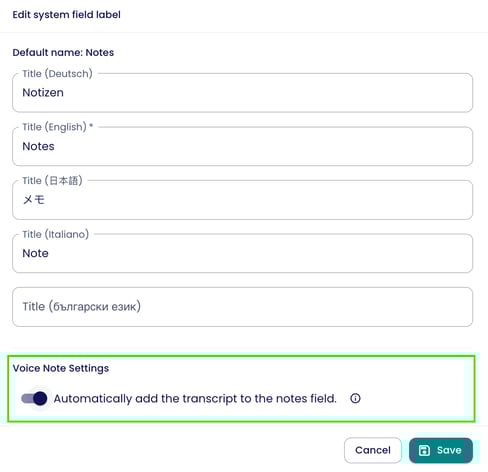
Open the Contacts → Contact Fields → find the notes field → click the three dots and then “Edit field”
-
Enable or disable automatic transfer
-
AI features for voice memos
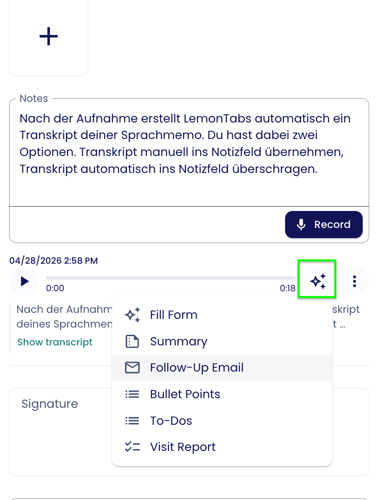
Once your memo has been processed, various AI features become available. You can find them via the star icon next to the three dots:
 |
|
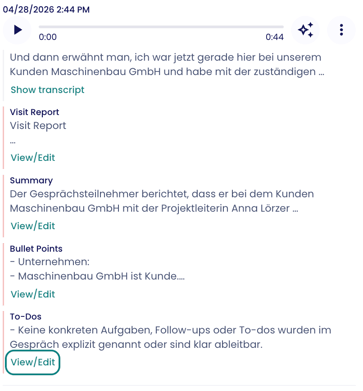
The AI-generated fields are displayed below the voice memo for review. By clicking “View/Edit,” you can see all details and adjust them if needed.
The actions are explained in more detail below:
Fill Form
Lemontaps can use the content of your voice memo to automatically populate contact form fields.
The AI analyzes the transcript and attempts to map relevant information to the appropriate fields.
Important:
- The recognition is probability-based
- Results may vary depending on the conversation content
Once a field is filled, it will be highlighted in blue so you can easily identify AI-generated entries.
If certain fields are frequently filled incorrectly, you can provide additional context to improve accuracy:
Add additional AI context:
-
Open Contacts → Contact Fields → find the notes field → click the three dots and then “Edit field” → navigate to “Voice Note - Fill Form Settings”
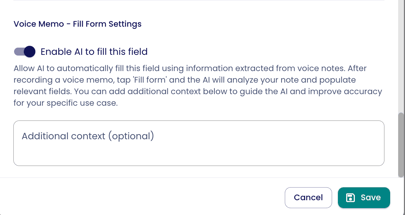
You can define exactly how the AI should interpret content—similar to writing a prompt in ChatGPT.
Example:
For a field like “Product Interest,” you can define:
-
Select Option A if terms like “business card” or “visiting card” are mentioned
-
Select Option B for other keywords
This helps the AI better understand internal terminology or abbreviations and improves field accuracy.
-
- AI context can be added to: custom fields, CRM fields (e.g., from HubSpot)
- AI context cannot be added to: AI fields (e.g., Industry), certain system fields such as attachments or signatures
Summary
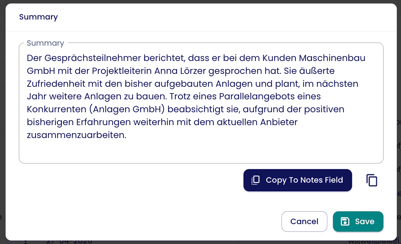
The AI automatically creates a short, structured summary of your conversation. This allows you to quickly understand what was discussed without rereading or listening again.
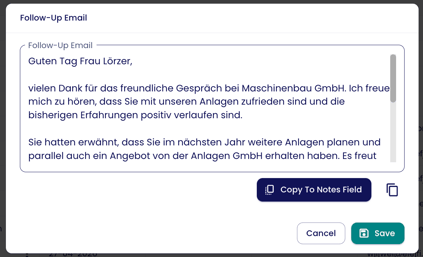
Follow-up Email
Based on your notes or voice memos, Lemontaps generates a ready-to-use follow-up email. You can use it directly or customize it, saving time on post-processing.
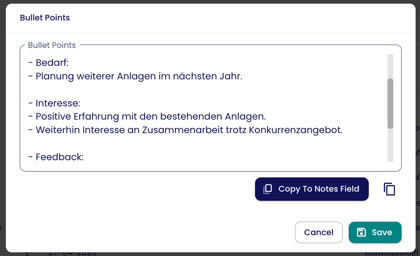
Bullet Points
The key points of the conversation are presented in concise bullet points—ideal for quickly capturing or sharing the main information internally.
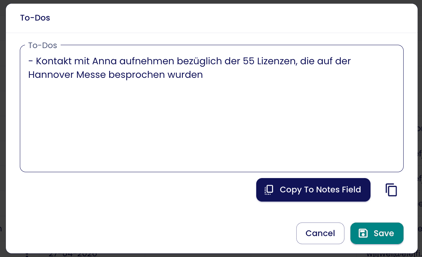
Create Tasks
Concrete to-dos (e.g., send a proposal, schedule a meeting) are automatically identified from the conversation. You can adopt and track them directly.
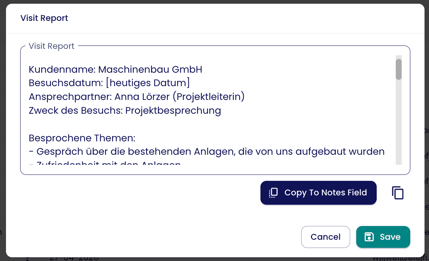
Visit Report
A complete conversation or visit report is generated—similar to a traditional sales report, but fully automated. Perfect for documentation, CRM usage, or internal alignment.