.svg)
With the Universal Business Card Scanner, you can scan almost any digital business card – regardless of the provider.
In addition to Lemontaps QR codes, the scanner also supports QR codes from other providers, LinkedIn QR codes and vCards. This allows you to capture all contacts centrally in Lemontaps.
Supported formats & providers
The scanner recognizes:
- Digital business cards (QR codes)
- LinkedIn QR codes
- vCards
Supported providers:
- vCards
- Lemontaps
- Snapaddy
- HiHello
- Wazzl
- Mytaag
- OneVcard
- QR Code Chimp
- Spreadly
- Popl
- Snapa
How scanning works
- Open the app or Lemontaps in your browser

- Click on “Scan Card” - In the app, you can find the button directly on the Capture page.
- Select “QR Code”
- Scan or upload a QR code
- The data is automatically recognized and extracted
- Missing information may be enriched if needed (Enrichment)
- The contact is saved
Note:
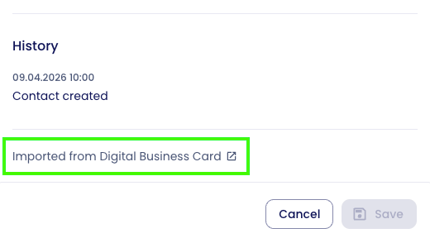
For digital business cards, you will always find the profile link at the bottom of a saved contact. This allows you to access the latest version of the digital business card at any time.
What data is recognized?
Depending on the source, the following information may be captured:
- Profile image (profileImageUrl)
- Name (firstName, lastName)
- Position (position)
- Company (company)
- Phone numbers (workPhone, mobilePhone, workFax)
- Email address (email, workEmail)
- Website (website)
- LinkedIn profile (linkedInLink)
- Address (addressLine1, addressLine2, city, postCode, country)
- Language (preferredLang)
- Birthday (birthday)
Note:
Special additional links (e.g. Instagram or booking links) are currently not reliably detected.
Data accuracy
The quality of recognition depends on the QR code provider:
Very high accuracy (vCard access)
- Direct access to structured data
- Very reliable results
- Applies to approx. 50% of providers
Limited accuracy (AI extraction)
- No direct access to vCard
- Data is extracted via AI
- Possible outcomes:
- Missing fields
- Incomplete information
- Minor inaccuracies
Limitations
- Not all providers can be fully read
- In rare cases, QR codes may not be readable
FAQ
Is the Universal Business Card Scanner GDPR-compliant?
Yes. Lemontaps is GDPR-compliant and meets high security standards (including hosting in Germany and ISO 27001 certification).
When scanning:
- Only publicly available data is processed
- Data is taken directly from the QR code or the linked card
- No additional data is collected beyond this source
Note:
Further use of contact data (e.g. CRM, sales) should always comply with your internal data protection policies.