In this article, you’ll learn whether it is possible to share your digital business card using phone-to-phone NFC instead of an NFC card.
NFC sharing between smartphones
Unfortunately, it is not possible to share your digital business card directly from one smartphone to another via NFC.
NFC functionality on mobile devices is limited for this purpose and can only be used by payment service providers for transactions.
Because of these technical restrictions, an NFC card cannot be replaced by a smartphone for NFC sharing.
Recommended alternative: QR code via your wallet
The easiest and most reliable way to share your digital business card without an NFC card is by using the QR code in your wallet.
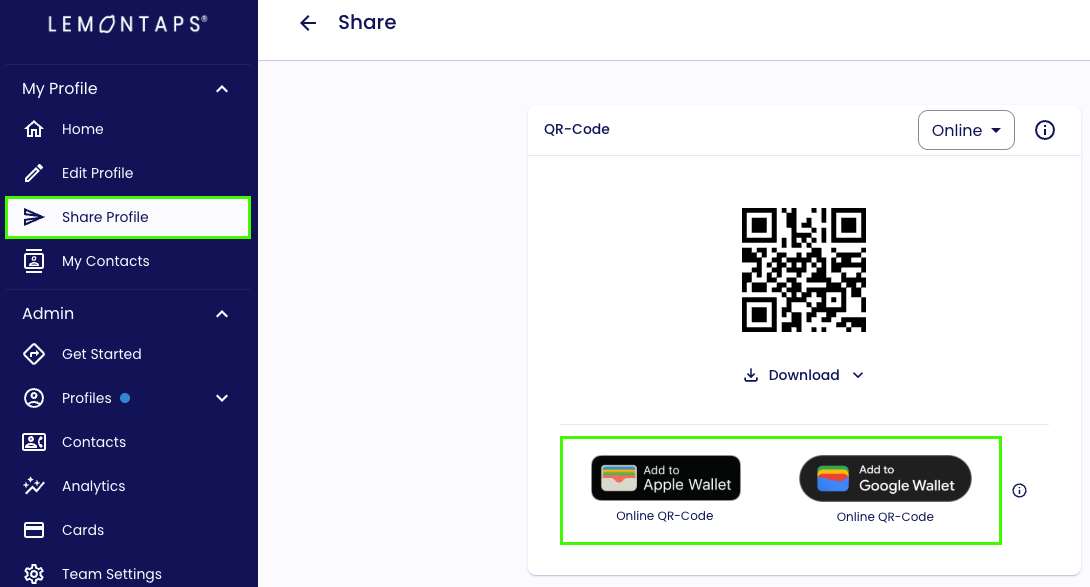
Once you have added your digital business card to your wallet, you can display the QR code at any time - others can simply scan it with their smartphone.
Where to find the feature
You can set up your Wallet QR code directly under Share Profile in your Lemontaps profile.
Was this article helpful?
That’s Great!
Thank you for your feedback
Sorry! We couldn't be helpful
Thank you for your feedback
Feedback sent
We appreciate your effort and will try to fix the article